

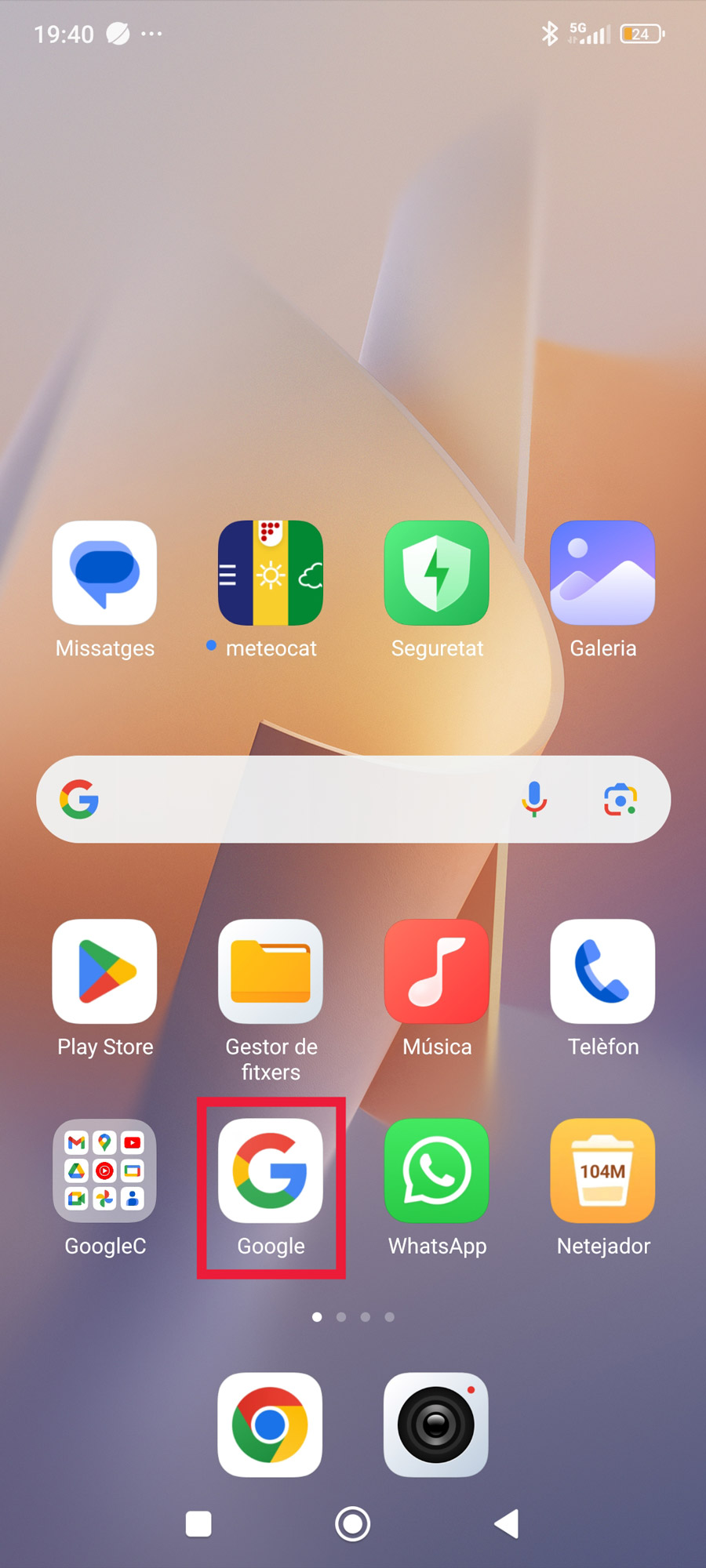
Step 1
Open Google.
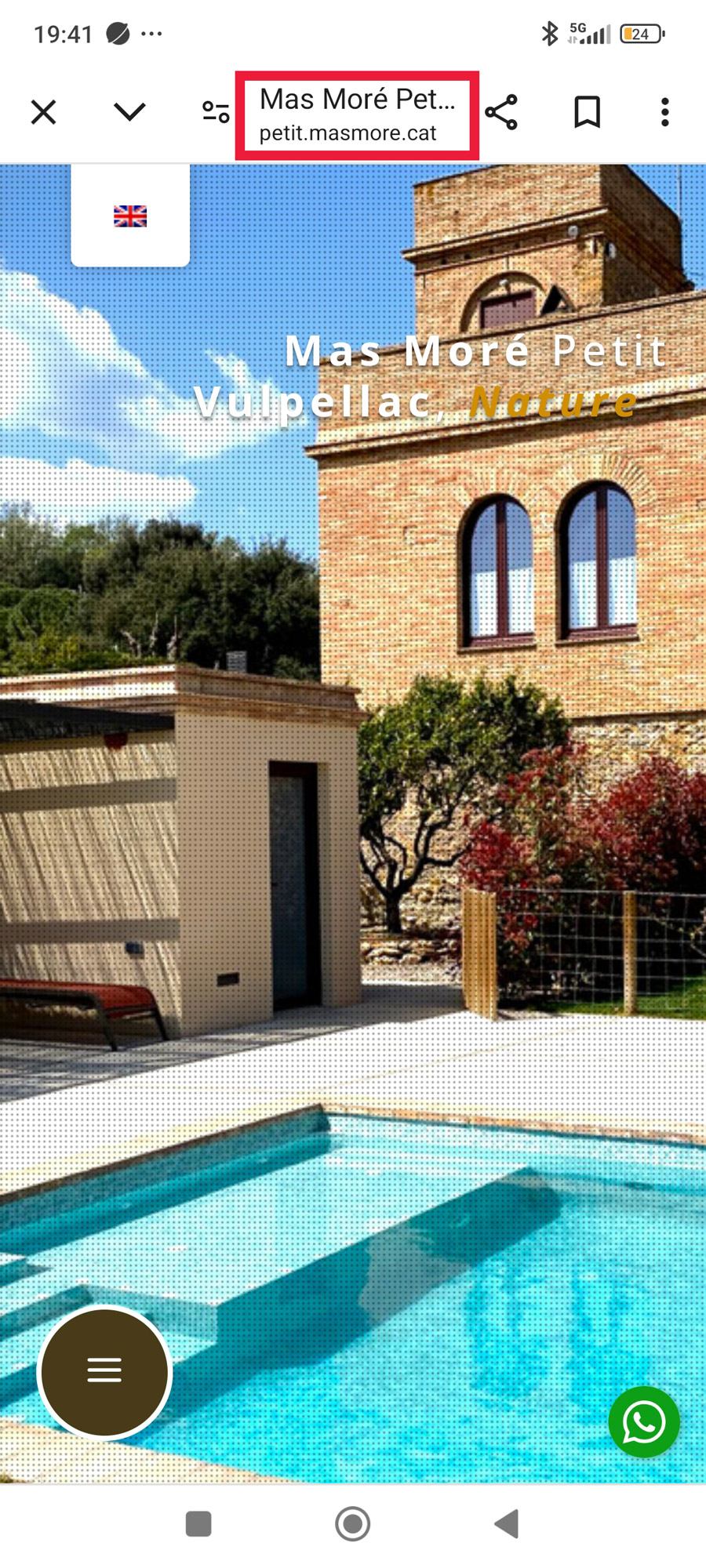
Step 2
Write the URL: https://petit.masmore.cat and access the web.
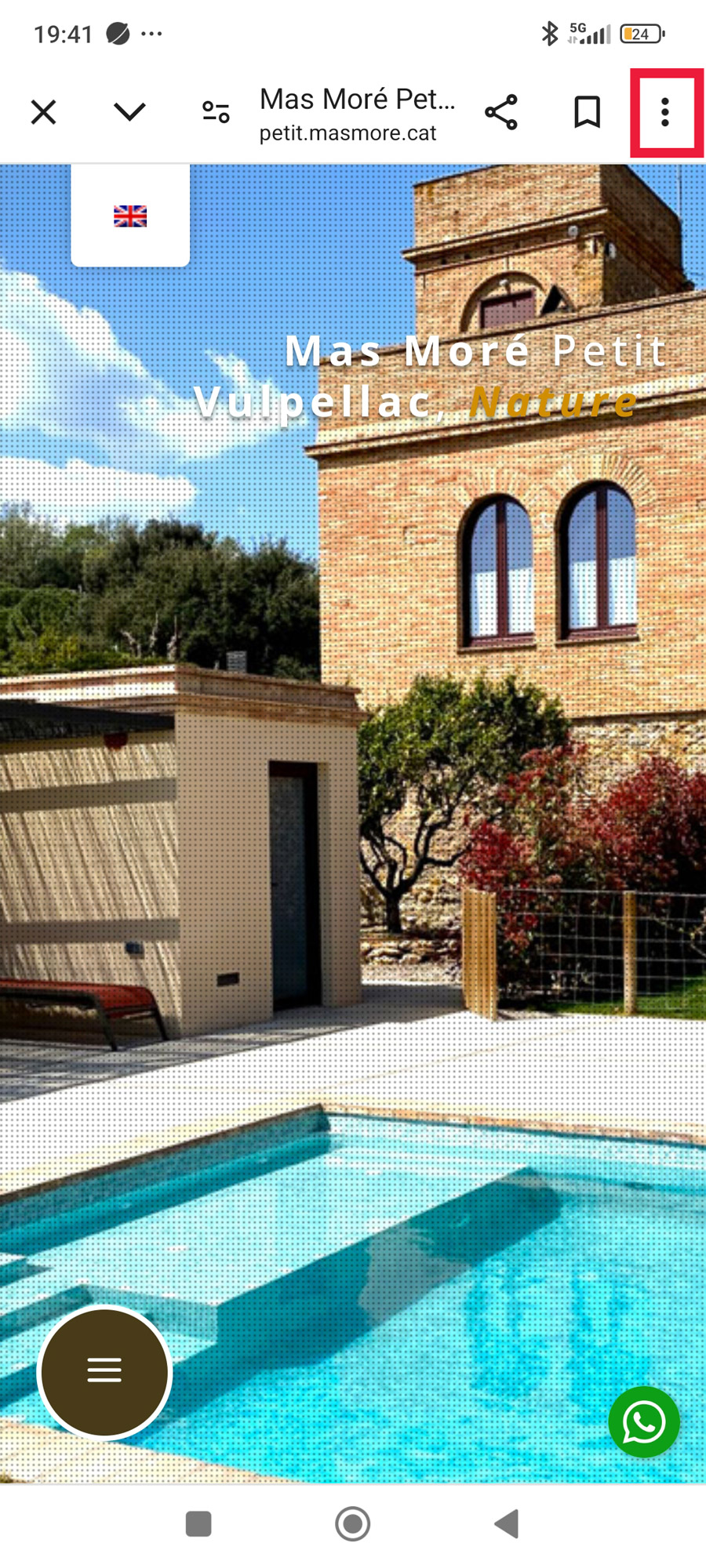
Step 3
Click the Google «configuration» button. A window will open…
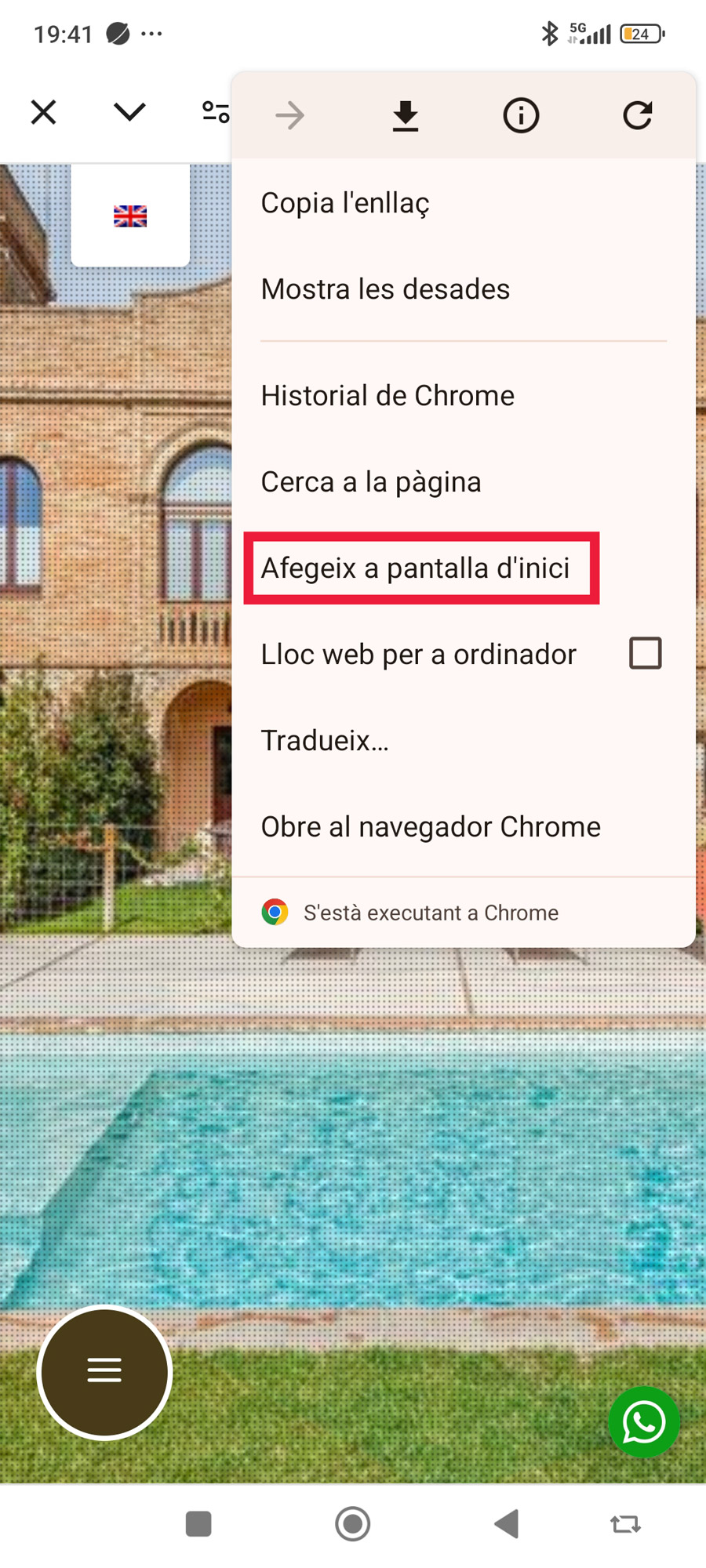
Step 4
Click the «Add to Home Screen» option…
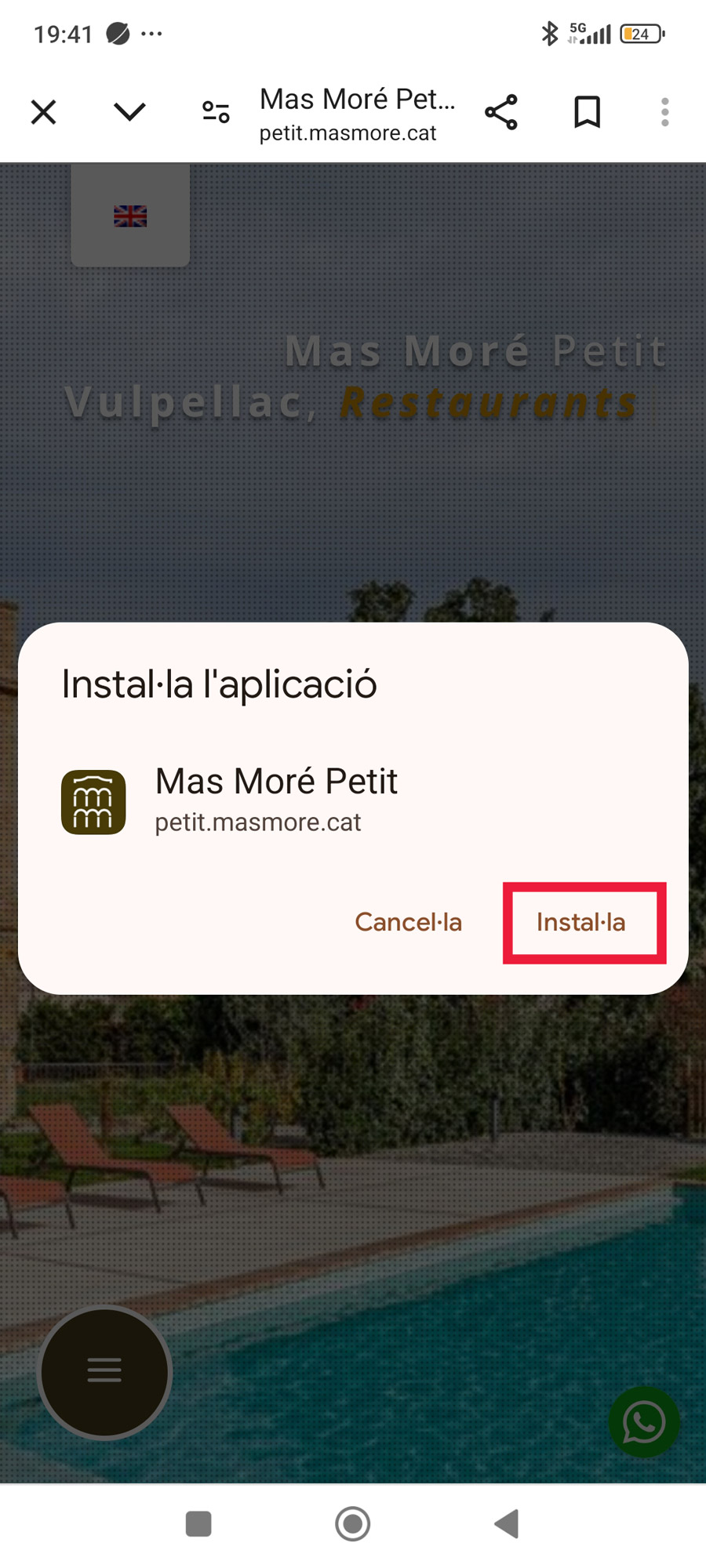
Step 5
Click the «Install» button.
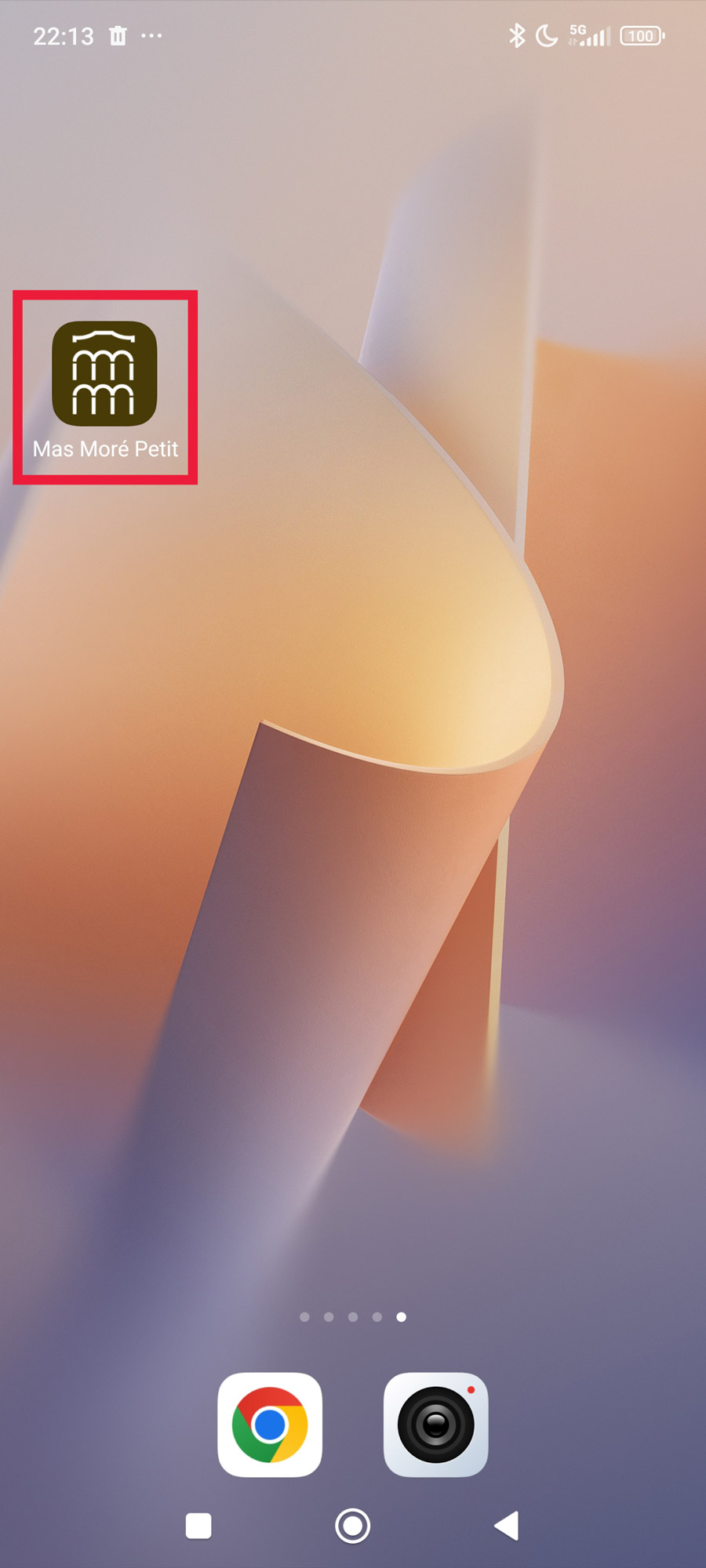
Step 6
Ready!
You already have the icon and direct access to the “Mas Moré Petit” app installed on your smartphone or tablet.
The contents are automatically updated and work without an internet connection.
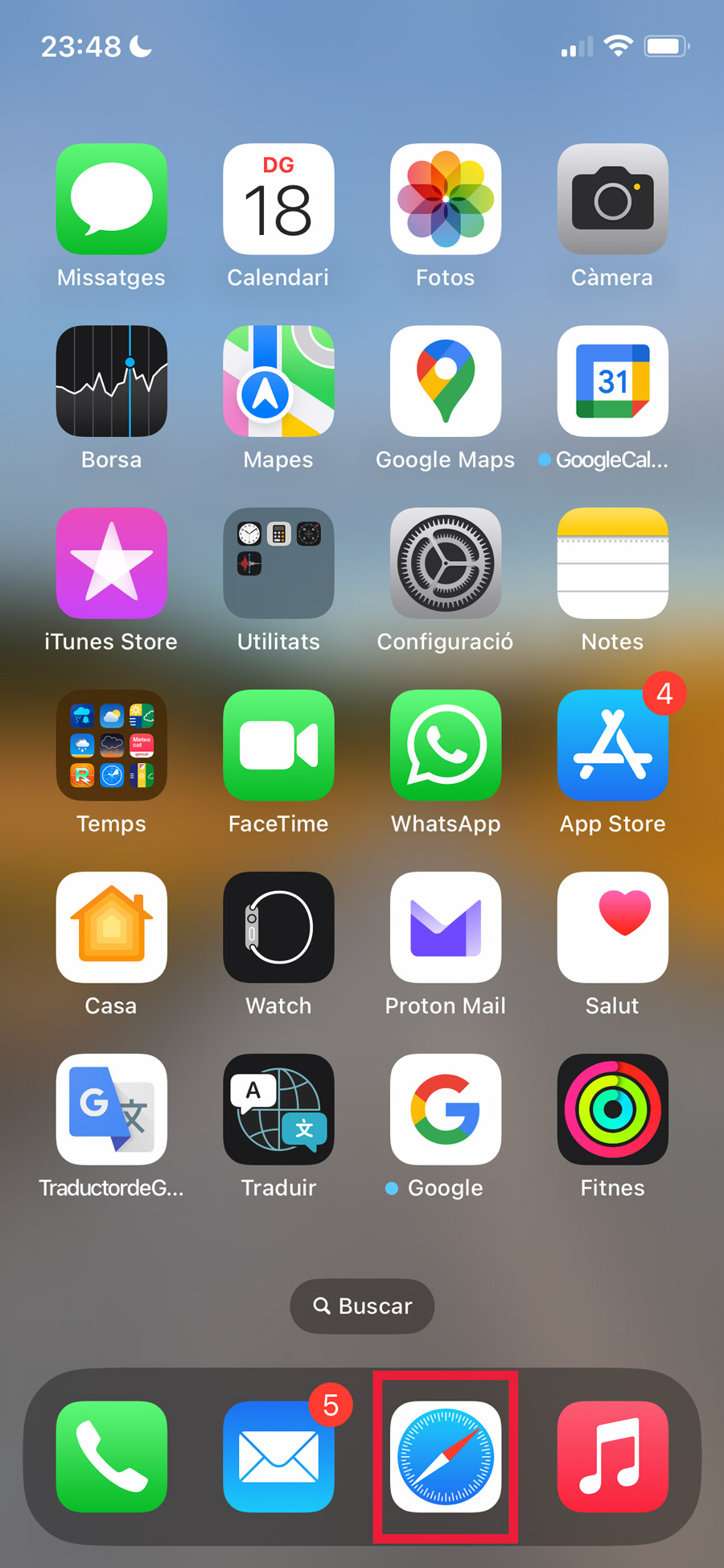
Step 1
Open Safari.
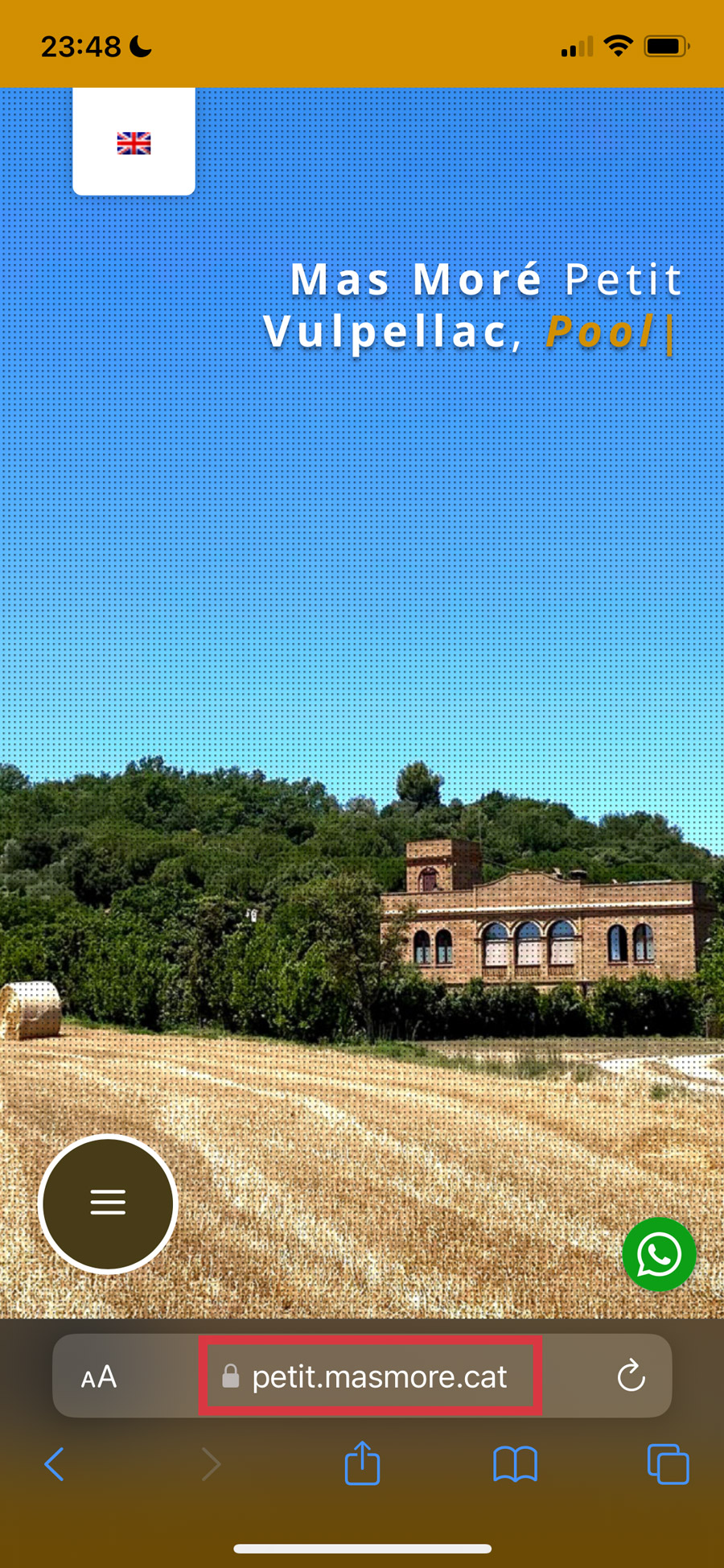
Step 2
Write the URL: https://petit.masmore.cat and access the web.
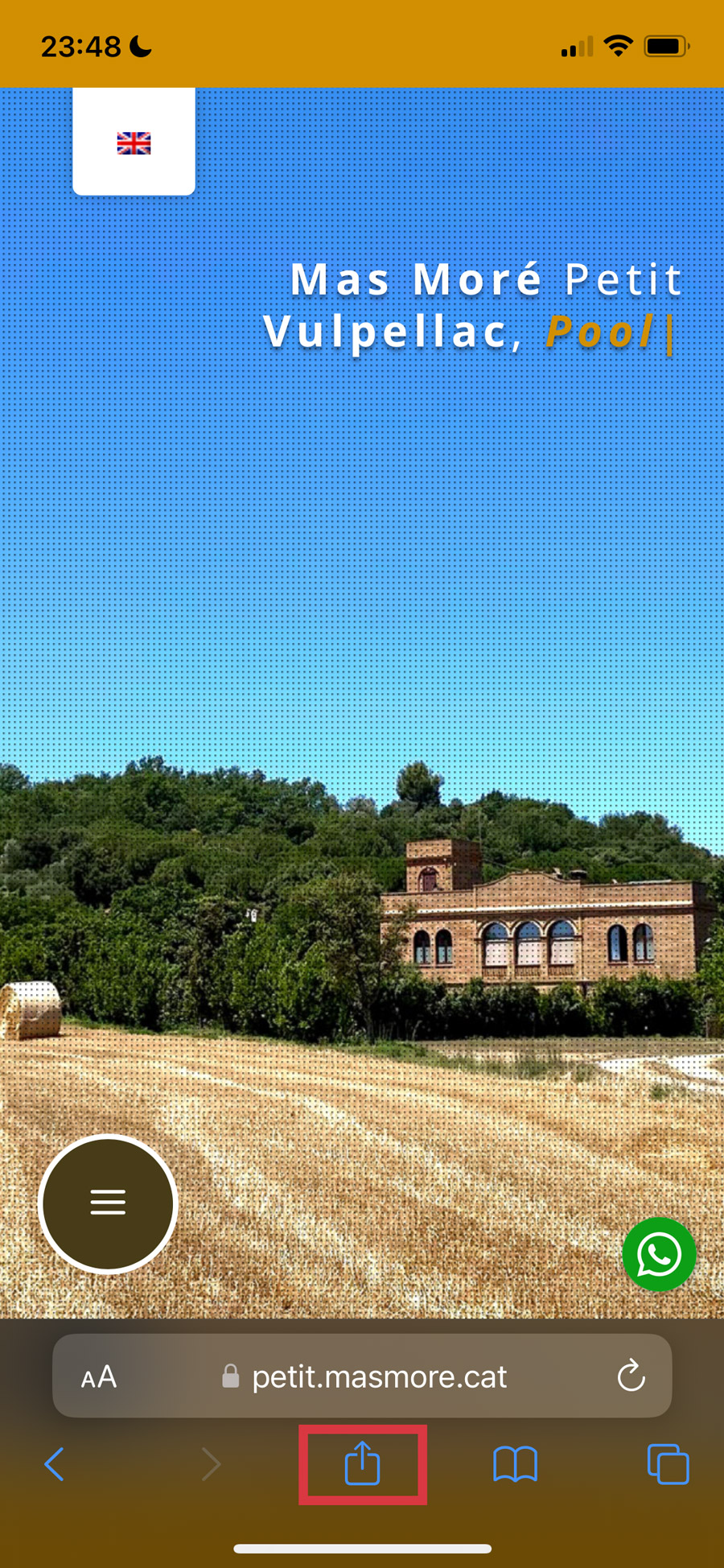
Step 3
Click the «utilities» button…
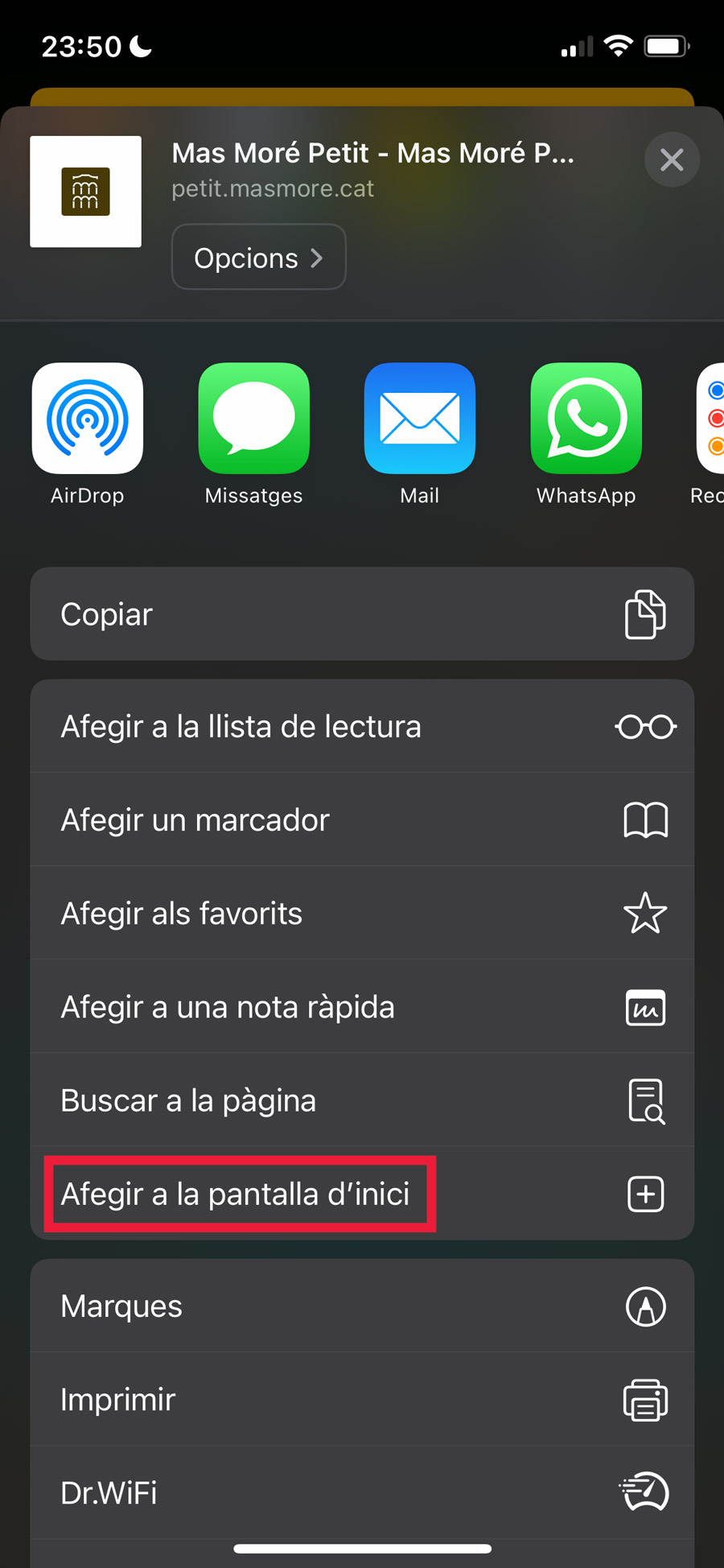
Step 4
Click the «Add to Home Screen» option…
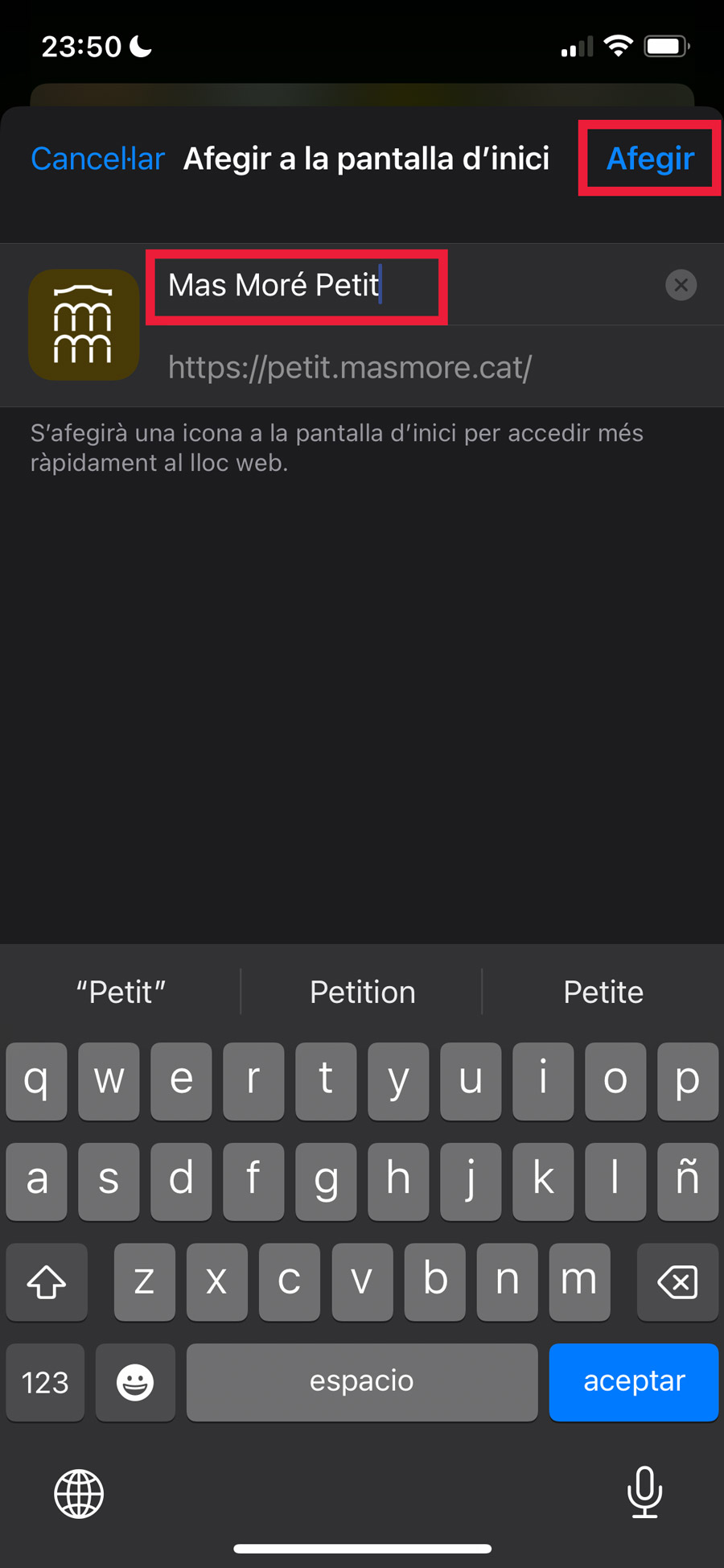
Step 5
Type the name you want to appear under the icon. You can leave what appears by default “Mas Moré Petit”.
Click the «Add» button.
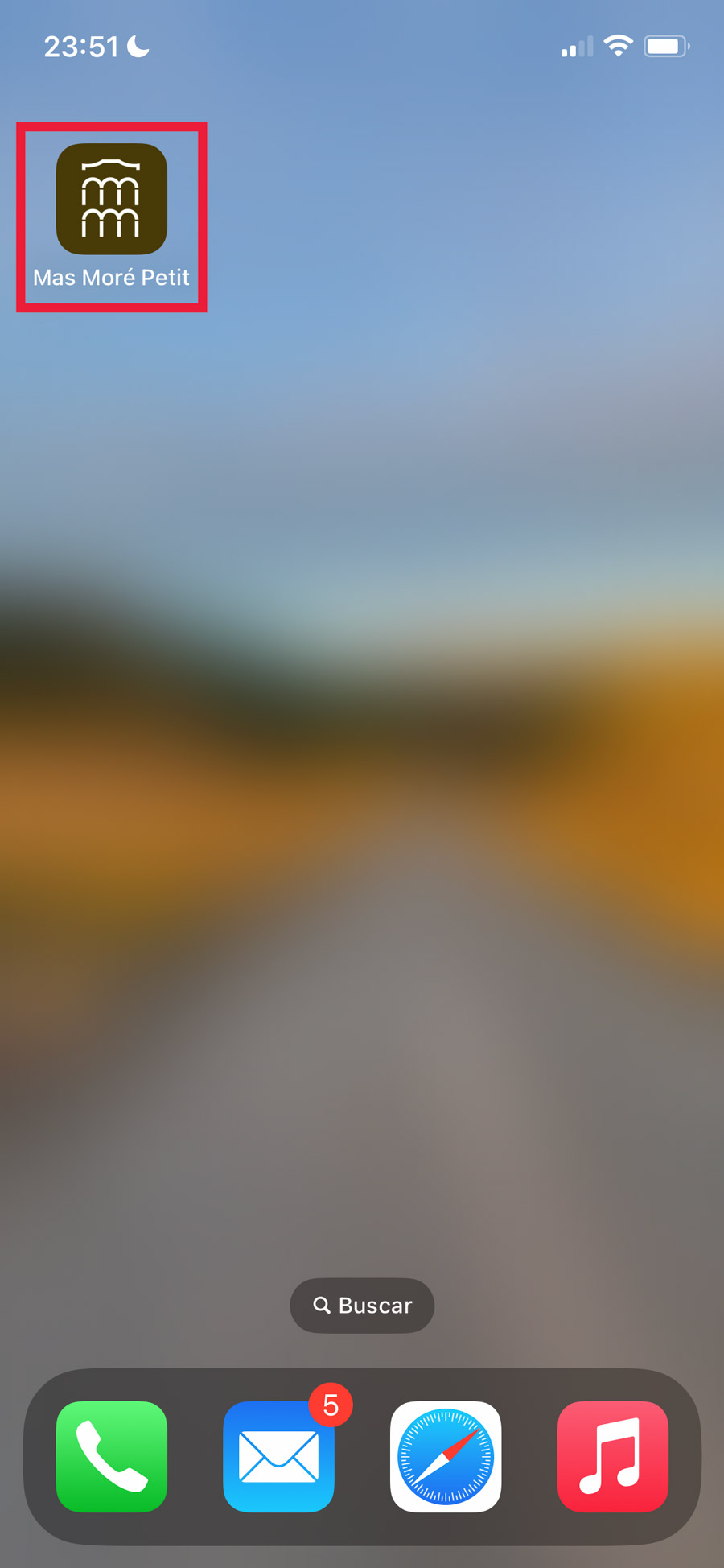
Step 6
Ready!
You already have the icon and direct access to the “Mas Moré Petit” app installed on your smartphone or tablet.
The contents are automatically updated and work without an internet connection.